Showing posts with label #akridge. Show all posts

Monday, October 30, 2017

Anyssa Akridge Week 10 - Cardboard ball

Concept:
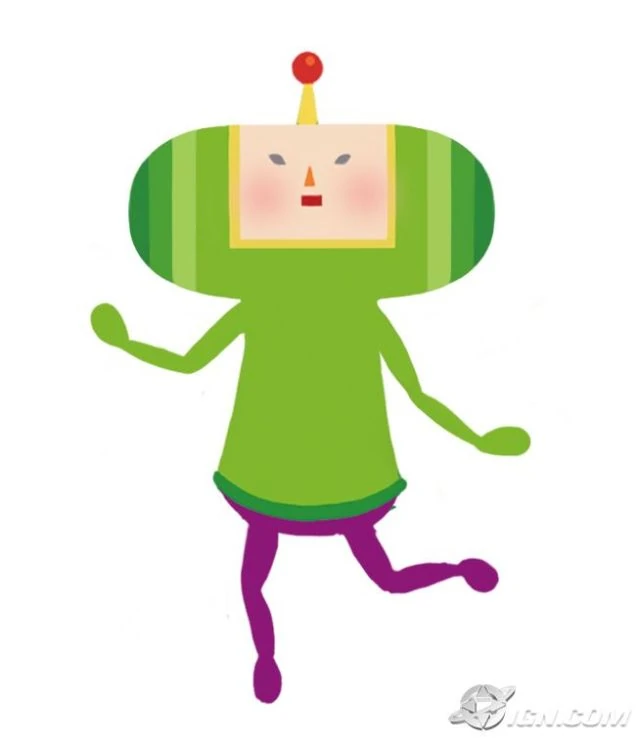
My Idea for the cardboard ball would be a cosplay head piece of the little prince from Katamari. Katamari is a game where you collect objects onto a ball, and try to make that ball as big as you can before the time runs out. Since this is my first time using the pepakura process, I thought it would be apropriate to do a simple low poly model of a game character that's made out of primitive shapes.

Techniques:
Using Rhino , I modeled the head with the Cylinder tool, the Cone tool and the sphere tool/ Half sphere tool. I used the command show bounding box to look at and adjust the measurements. Then I used the Mesh from NURBS object tool to create the low poly model while also making adjustments. After that I separated all the shapes and imported my model into Pepakura Designer. I made sure that everything in the program was set to millimeters. I also used the slice tool to better place my laser cut lines onto the cardboard sheets. I exported the pepakura instructions and imported it back into rhino to color my pepakura lines. After receiving my Cardboard cuts back from the laser cutter I used Loctite glue and masking tape to construct the head for the Katamari character. Then I used a urethane sealant and acrylic paint to paint my head. I cute out a square hole in the bottom to place my head inside the mask. Finally I cut out the eye holes and stretched black stockings on the holes to create eyes I could see through, but still looked dark and black out the outside.
Materials:
I used Flute cardboard, Loctite glue and acrylic paint to create my Katamari head. Katamari is a low poly game so using the low poly model made of primitives while adding a more detailed paint job/ texture made my head more game like. I also used black stretch stockings over the eyes so I can see through the head without the viewer seeing my own eyes, wrecking the illusion. I also used masking tape to attach parts that were hard to attach with the super glue. For keyshot rendering I used gold and gemstones for the hat/crown to represent royalty. And then for the base I used brushed on paint and metallic paint.


Monday, October 9, 2017

Anyssa Akridge Week #8 3d Printing Project


Concept


My concept was inspired by these centaur garage kits that were sold at Wonder Festival 2015-16 In Japan. I adore collectable figurines and what's known as "Monster girls" in Japan. I decided to do my own twist on the centaur and did a half slug half gal hybrid. My collectable is supposed to be customizable using different painting applications just like garage kits. Each slug girl is supposed to come in a neutral color just like these tohoku centaur figurines. The owner then gets to paint their slug however they want!

Techniques
Bounding box dimensions depicted in the command line


 I used the software called Sculptris to model my figurine. In the program I primarily used the grab tool and mirror tool to form a symmetrical figure. Then I used the draw tool and crease tool to add the details to my character. I then used the smooth tool to pat down all the bumps on my figure to create a finished surface. Afterwards I transferred my figure over to Mudbox to check for any mesh mistakes. When that was over and done with I transferred my figure over to Rhino to resize my figure and convert my .OBJ file to an .STL file for printing. I sent over my figure to Shapeways and got my figure printed out in sandstone. I feel like using sandstone and Sculptris for my figure suited the more organic form of my design 

Materials


For printing My figure I used sandstone. This material is smooth and holds details well, which was perfect for my figure. I also finished my figure with sandpaper and Krylon gray primer, to give it the  feeling of a garage kit. In Keyshot I used a simple maroon paint render. This is because most garage kit figures come in a neutral color like gray to make it easier to hand paint on collectors, but since our keyshot backgrounds are at 50% gray, the neutral gray color would blend in too much, so I choose a maroon color to make it pop out from the background. I also feel like the shiny paint material shows details and mistakes well when creating figures.